Load an obby
More actions
In Obby Creator you can load your own obbies, your friends', or any public obby. Obby Creator makes it easy to search and find any obby you're looking for.
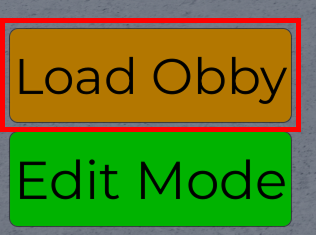
Upon joining Obby Creator, you can look towards the bottom left of the screen. There, you'll find an orange 'Load Obby' button. Click that to open the Obbies menu.

Load your own obby
From here, you can immediately see your own obbies, if you have any, at the top under 'My Obbies'. This will also display their active player counts which will include you if you're editing it. On the other side of the menu, you can find 'See All'. Clicking that will show your profile and all your obbies. From here you can also create a new obby yourself.
Load a friend's obby
There are two ways to load a friend's obby in Obby Creator from the menu. The first is clicking 'See All' next to your obbies at the top of the Obbies menu. Clicking the 'Friends' button will take you to a list of all your Roblox friends. Clicking on a friend will take you to their profile, detailing all their publicly available obbies and their friends. Click one of their obbies to load it.
Alternatively, at the top in the Search Bar, you can search for your friend's user name and visit their profile from there, revealing all their public obbies to click and load in. You can do this from any account regardless wether you are friends with them or not.
Play a specific obby by Obby Code / Obby ID
You can load/play a specific obby via its unique obby code (aka. obby ID) in Obby Creator by using the 'Load Obby' button on the bottom left to open the Load Obby menu. From this menu, use the search bar at the top to type the obby's code or its ID into the search bar and click it. This should load the obby in your slot and is playable by anyone else in the server.
If this doesn't work, try opening the menu again, typing it fully or pasting the code instead, and relaunching the game. It may take a few tries to load the obby, but don't spam the button. Alternatively, you can search the user who made it and load it from there.[1]
Search for an obby
You can also search directly for an obby by its name in Obby Creator. In the Obbies (aka. Load Obby) menu at the top, type the name of the obby you want to load and click it when it appears in the search results. This should open a modal showing the closest results to your query, but the button may require waiting or clicking multiple times to work properly.
Search for an obby creator
Additionally, you can search directly for an obby by its creator in Obby Creator. At the bottom left of your screen, press the 'Load Obby' button. This should bring up the Load Obby menu. At the top of the menu, type the name of the creator you want or their Roblox User ID in the search bar and hit enter or wait and click their name when they appear in the search results, if they exist.
References
- ↑ Via Obby Wiki: https://obbywiki.com/wiki/Obby_Creator